

Account Manager
Move many characters to another channel in one go.
Account Manager takes the characters you tick through the game's own menus: logout, server, channel and character. It does this one character at a time and shows each step.
Watch it, 45 seconds
What you can use it for
- Putting your whole fleet on the same channel
- Moving to a quieter channel before a farming session
What it has
- Moves one character after the other through logout, server, channel and character
- A badge for the step each character is in
- A delay between the steps that you set
- Your server, channel and delay are remembered
- A log of what happened
How to use it
Stop the bots first
Farming and time-space bots on these characters do not pause for a move. Stop them before you start.
Choose the characters
Tick the characters under Characters. All and None tick everyone or no one. Refresh reads the list again.
Set the target
Under Settings type the Channel and the Server as numbers from the in-game lists, counted from 1. Delay is the wait in seconds between steps.
Move
Press Move to channel. Each character shows Logging out, Selecting server, Selecting channel, Selecting character and Entering game, then Done.
Stop if needed
Press Stop to end the move. A character that failed stays where it is, and you can run the same move again.
Good to know
- Server and channel are positions in the game's lists, not names.
- A move does not pause running bots, so stop them first.
Screenshots
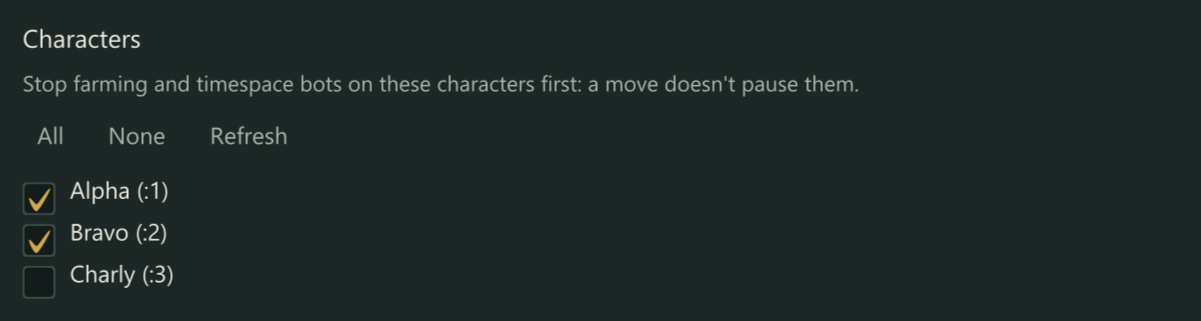
Tick the characters to move. All, None and Refresh sit above the list. 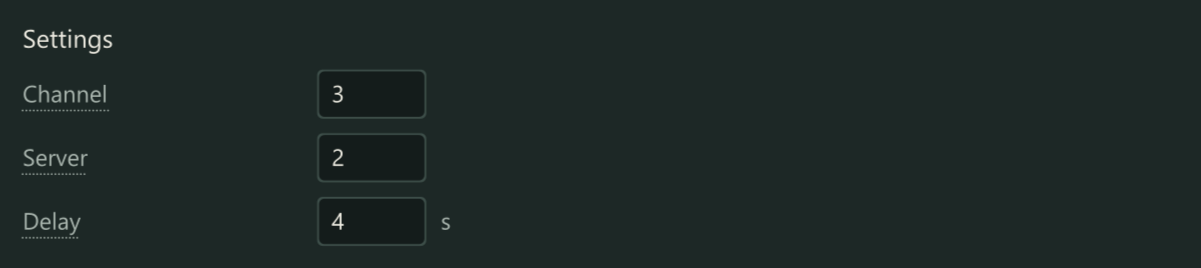
The target: Channel, Server and the delay between steps. 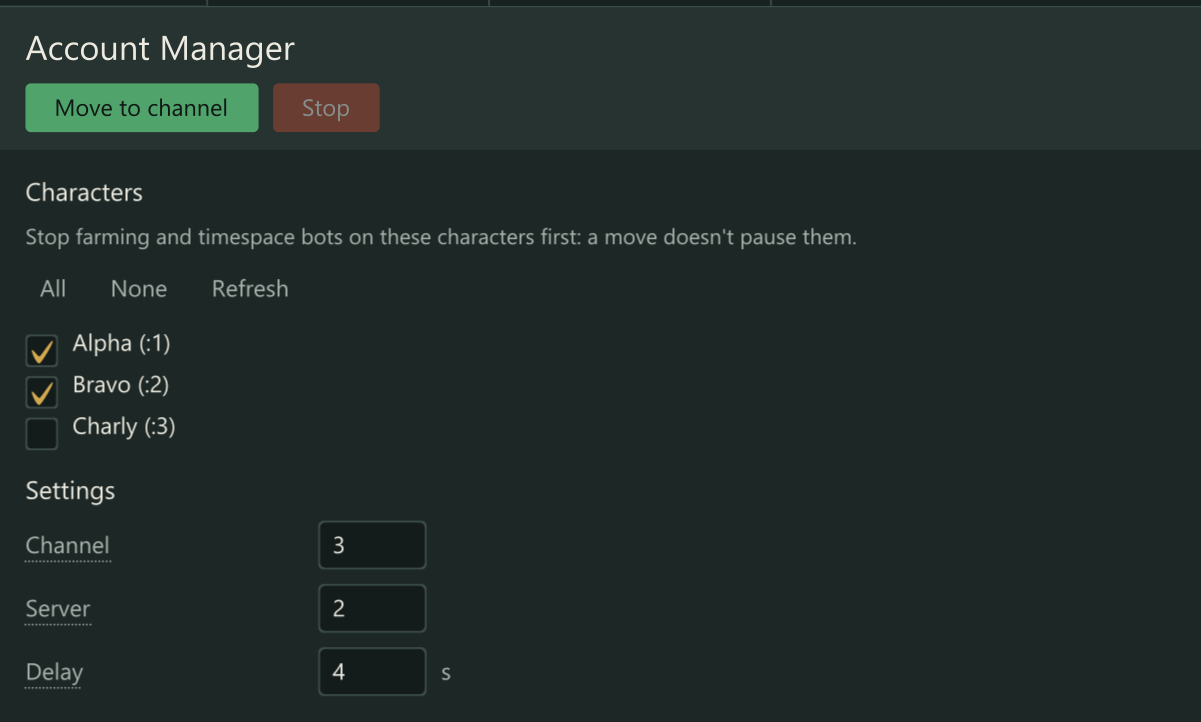
While a move runs, each character shows the step it is in.
Part of every licence
You do not need to buy anything extra for this. Download the starter and enter your licence key.